FreeCell at /freecell shows all 52 cards face up from the first move. Wins come from sequencing, not luck — which makes it a perfect match for SolitaireHot’s Hint and Undo tools. This guide covers free-cell budgeting on the site and points to similar open-information variants.
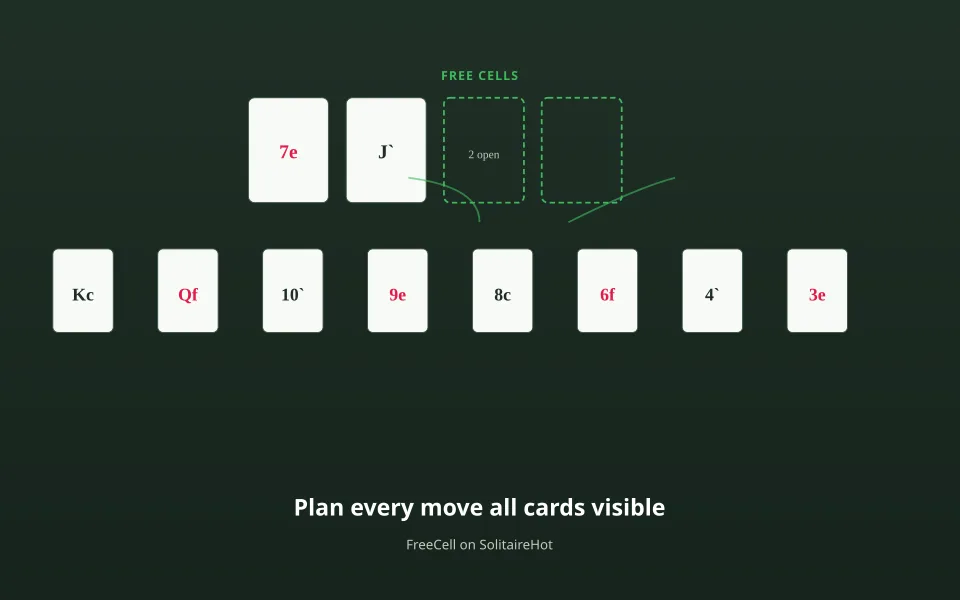
How FreeCell is laid out in the browser
You get eight tableau columns, four free cells, and four foundations. Stack moves follow standard FreeCell rules: you can move a run only if enough empty cells and columns exist to hold intermediate cards. Because nothing is hidden, you can plan ten moves ahead — then use Undo to compare branches.

Free cells are a budget, not storage
Each occupied cell reduces how large a stack you can shift. Experienced players keep at least one cell empty whenever possible. Before dragging a long run on SolitaireHot, count free cells plus empty columns — the board will reject illegal moves, but planning saves time.
FreeCell checklist on SolitaireHot
- Scan for low cards buried under high ones before moving anything to foundations.
- Open an empty column early — it behaves like extra temporary space.
- Be cautious auto-sending 5s and 6s to foundations if they still anchor tableau builds.
- Use Hint when you are learning; use Undo when you are optimizing.
- Track wins on the Stats page alongside other variants.

Empty columns vs free cells
An empty tableau column accepts any stack that fits the move rules — often more powerful than a single free cell. Sequence: open column → reorganize → decide whether to keep it empty or place a King for building.
More planning-heavy games on the site
Open FreeCell
Deal a board, enable hints if needed, and compare your move count on dailies.