SolitaireHot is built for repeat visits: one shared puzzle per game per calendar day, progress saved in your browser, and a Stats page that records wins, times, and streaks. No signup is required for daily play — this article walks through each feature and where to find it on the site.
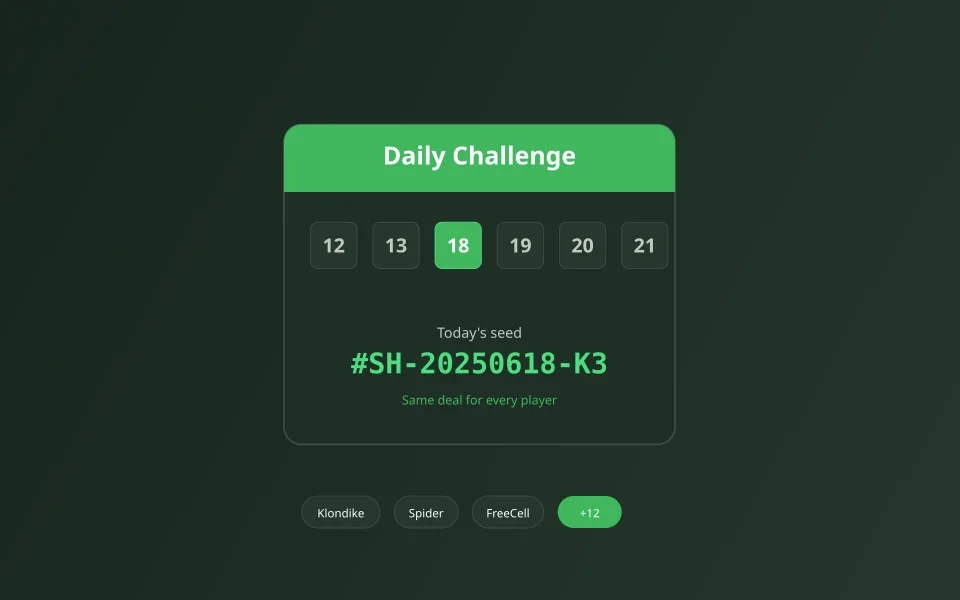
The Daily page: same puzzle, every player
Visit /daily to see all seventeen games with today’s date. Each tile links to the game with a ?daily= parameter so the seed is derived from the calendar day and game id. Tomorrow’s Klondike differs from today’s, but everyone playing today’s Klondike sees identical cards — great for comparing notes without chat.

Seeds explained simply
A seed is a number that drives shuffling. SolitaireHot combines the date and game identifier to pick that number, so daily layouts are stable for the day and unique across variants. Bookmark a daily URL if you want to retry the same puzzle later the same day.
What the site tracks locally
- Daily completion checkmarks per variant on the Daily and Stats views.
- Win counts, best time, and best moves where the variant supports them.
- Streak counters that reset if you skip a day for that game.
- Settings such as language and deal animation (Settings page).
Stats, leaderboard, and friendly comparison
The /stats page summarizes your history across games. /leaderboard shows community scores where available — useful after a strong daily run. Finish a daily, then open Stats to see streak growth; missing a day resets that variant’s streak but does not affect other games.
Games with daily seeds today
Try today’s challenges
Pick one variant per day or chase a full-grid streak — the Daily page is your checklist.